AI Video Workflow
Best AI Video Workflow for Short-Form Clips (2026 Guide)
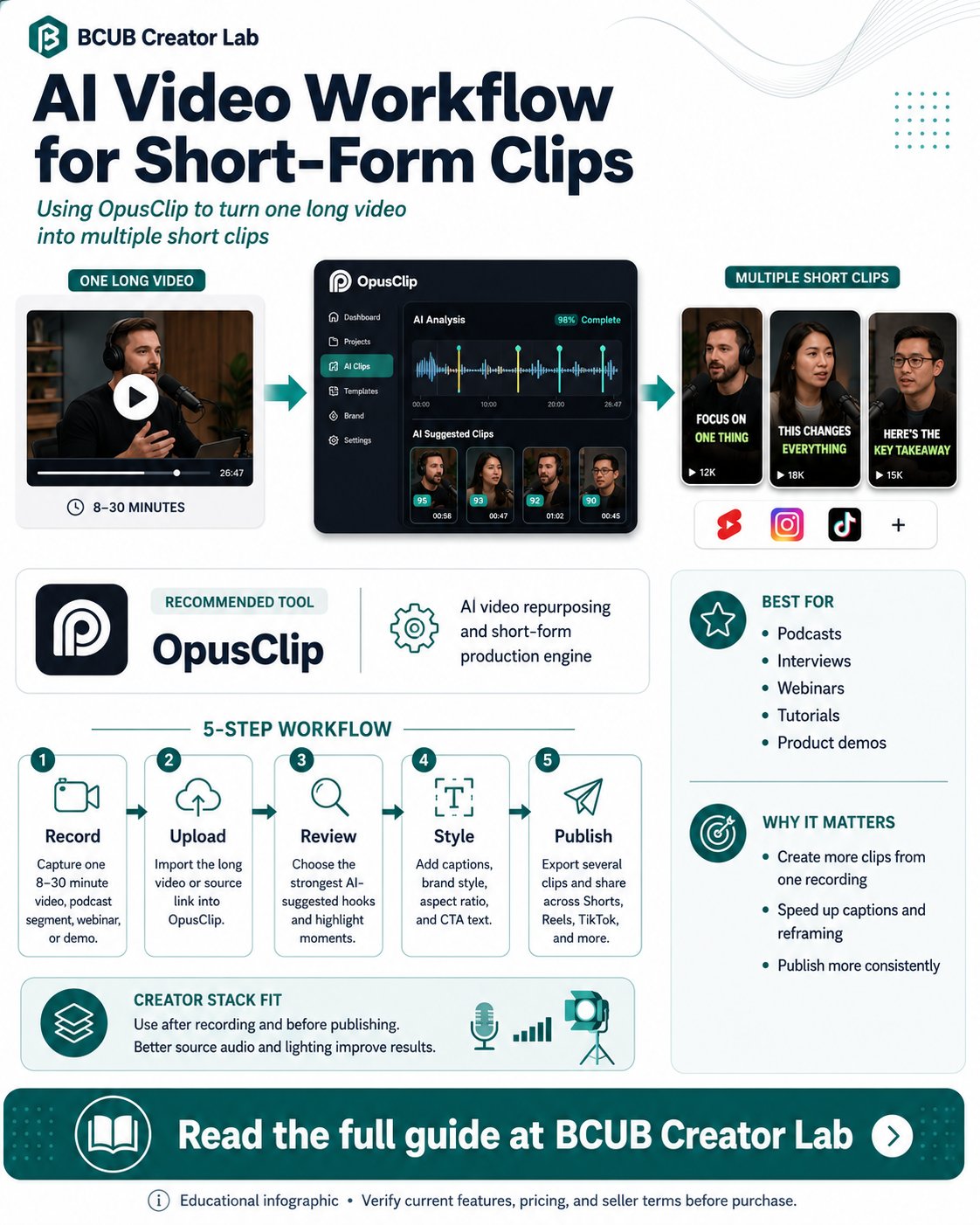
A repeatable video workflow lets beginners create more clips without starting every post from scratch. Record one strong long-form asset, extract the best moments, add captions, resize for social platforms, then publish or schedule the finished clips.
Quick answer
OpusClip is the best starting page in this cluster for creators who already have long-form video and need a faster way to create short clips, captions, reframes, and platform-ready exports.
Who this is best for
Creators turning long videos, podcasts, interviews, webinars, or tutorials into short-form clips.
Recommended role in the stack
OpusClip
AI video repurposing and short-form production engine
Why creators need this
Short-form platforms reward consistency, but manual clipping can slow down beginner creators.
An AI-assisted video workflow helps creators turn one source video into multiple clips for TikTok, YouTube Shorts, Instagram Reels, LinkedIn, and X.
The goal is not to replace creative judgment. The goal is to reduce the editing drag so creators can spend more time testing hooks, offers, and stories.
OpusClip: feature breakdown
| Feature | Creator value |
|---|---|
| AI curation | Identifies promising hooks and highlights from long-form videos. |
| Animated captions | Adds styled captions to improve watchability and accessibility. |
| AI reframe | Reframes clips for different aspect ratios and social formats. |
| Brand templates | Helps keep fonts, colors, logos, intros, and outros consistent. |
| Scheduler and analytics | Supports posting workflows and performance review. |
Source note: Product feature details should be verified on the official opus.pro product page before purchase.
Creator workflow example
- Record one 8–30 minute educational video, product demo, podcast segment, or webinar clip.
- Upload the long video or source link into OpusClip.
- Review AI-suggested clips and choose the strongest hooks.
- Apply captions, brand style, aspect ratio, and CTA text.
- Export several clips, publish across channels, and save the best performer as a future content template.
Pros and considerations
Pros
- Strong fit for long-form repurposing
- Useful for batch content creation
- Helpful for captions, reframing, and clip selection
Considerations
- Creators still need to review every clip before posting
- Best results depend on strong source footage
- Pricing and plan limits should be checked before purchase
Not ideal for: Creators who only record one-off raw clips directly inside social apps and do not need long-form repurposing.
How this fits the BCUB Creator Lab stack
Use this page as one piece of a beginner creator system. The practical stack is simple: capture better content, improve the source quality, repurpose it with AI, and send the best audience attention into an owned channel.
Affiliate offer
Ready to build this part of your creator stack?
Start with the official product page, confirm the current price and plan details, then decide whether it fits your content workflow and budget.
Try OpusClip →BCUB may earn a commission if you purchase through this link.
FAQs
Is OpusClip only for podcasts?
No. It can support a broader long-video-to-short-video workflow, including interviews, webinars, tutorials, product demos, and educational videos.
Should I publish every AI-generated clip?
No. Use AI suggestions as a first pass, then manually approve the clips that match your message, offer, and brand.
Where does OpusClip fit in the BCUB Creator Lab stack?
It sits after recording and before publishing. Audio, lighting, and topic planning still matter before the video reaches the AI editor.