Creator Lighting Setup
Best Creator Lighting Setup for Desk Videos (2026 Guide)
Lighting is one of the fastest ways to make a basic camera look better. A creator can have a strong script and clean audio, but if the face is dark or unevenly lit, the video feels less trustworthy.
Quick answer
Logitech Litra Glow is the lighting page for creators who want a compact desk light that improves face visibility without building a full studio.
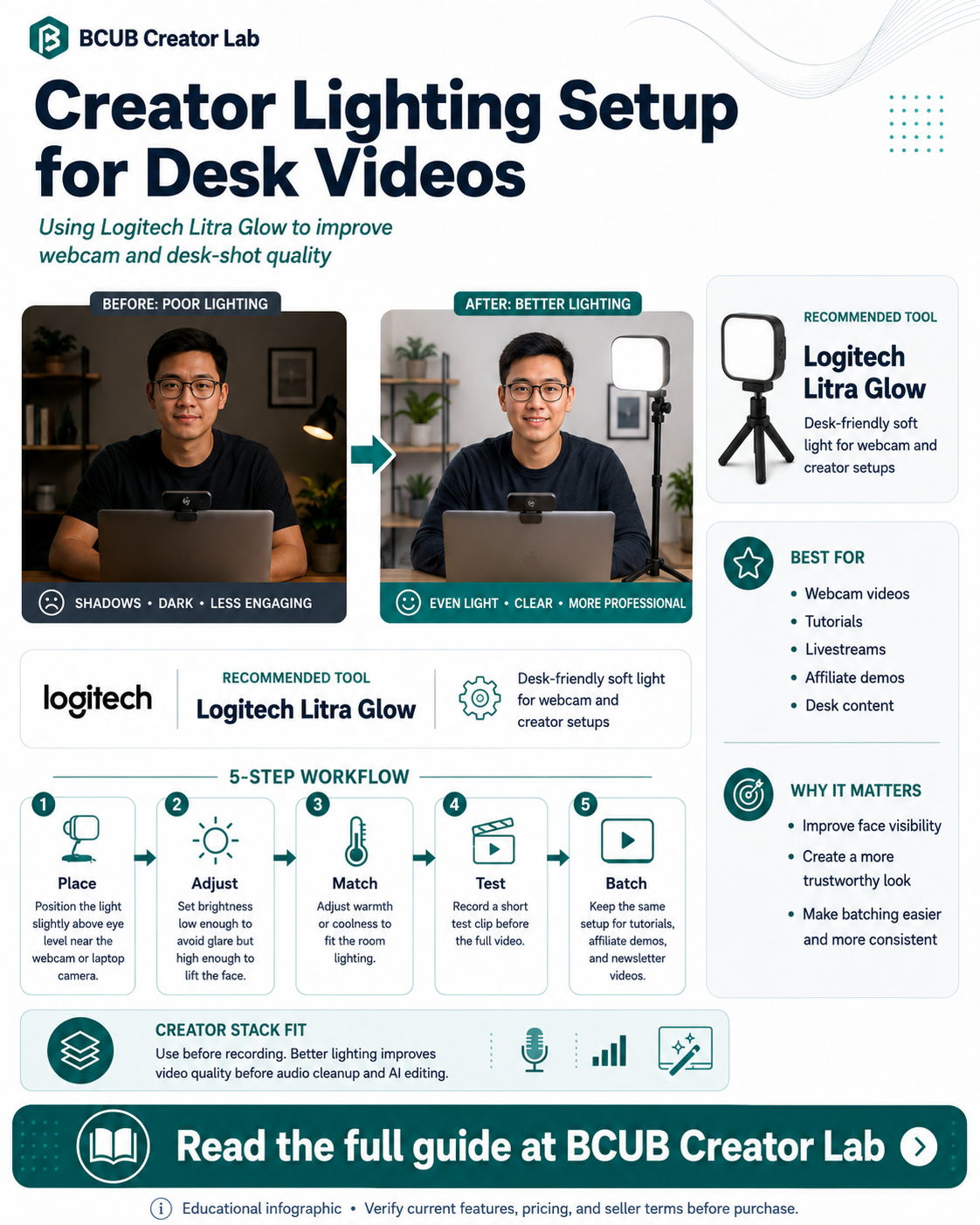
Who this is best for
Creators recording webcam videos, tutorials, livestreams, calls, reaction videos, and desk-based explainers.
Recommended role in the stack
Logitech Litra Glow
Simple desk lighting for repeatable creator recording sessions
Why creators need this
Desk creators often film in bedrooms, offices, apartments, and multipurpose rooms where natural light changes throughout the day.
A dedicated streaming light gives creators repeatable lighting so tutorials and product demos look more consistent.
Better lighting also helps AI editing tools work with cleaner source footage because the subject stays visible.
Logitech Litra Glow: feature breakdown
| Feature | Creator value |
|---|---|
| TrueSoft LED light | Designed for soft, flattering full-spectrum light. |
| Wide diffuser | Helps reduce harsh shadows and hot spots. |
| Desk-friendly setup | Built for creators and streamers working from a computer setup. |
| Brightness and color controls | Adjust the look for different rooms and skin tones. |
| Software support | Can work with Logitech G HUB for presets and control workflows. |
Source note: Product feature details should be verified on the official logitech.com product page before purchase.
Creator workflow example
- Place the light slightly above eye level near the webcam or laptop camera.
- Set brightness low enough to avoid glare but high enough to separate the face from the background.
- Adjust warmth or coolness to match the room lighting.
- Record a test clip before the full video.
- Keep the same setup for batches of tutorials, affiliate demos, and newsletter videos.
Pros and considerations
Pros
- Good fit for desk creators and streamers
- Improves face visibility without a large light stand
- Useful for repeatable tutorial and webcam setups
Considerations
- Not a full studio lighting kit
- Best for close desk setups, not large rooms
- Check current price, mount details, and software compatibility before buying
Not ideal for: Creators who need large-set lighting, outdoor lighting, or multi-person studio production.
How this fits the BCUB Creator Lab stack
Use this page as one piece of a beginner creator system. The practical stack is simple: capture better content, improve the source quality, repurpose it with AI, and send the best audience attention into an owned channel.
Affiliate offer
Ready to build this part of your creator stack?
Start with the official product page, confirm the current price and plan details, then decide whether it fits your content workflow and budget.
View Litra Glow →BCUB may earn a commission if you purchase through this link.
FAQs
Why does lighting matter for beginner creators?
Lighting makes the subject easier to see and makes basic cameras look more professional.
Is Litra Glow for livestreaming only?
No. It can also support tutorials, remote calls, reaction videos, product explainers, and short-form source footage.
Can lighting improve AI video workflows?
Better-lit footage gives downstream editing tools cleaner visual input and gives viewers a more professional final clip.