Creator Audio Upgrade
Best Creator Audio Upgrade for AI Videos (2026 Guide)
Bad audio makes good ideas feel unfinished. For beginner creators, a wireless microphone is often a higher-impact upgrade than a new camera because most phones already shoot strong video, but built-in microphones struggle with distance, room noise, and movement.
Quick answer
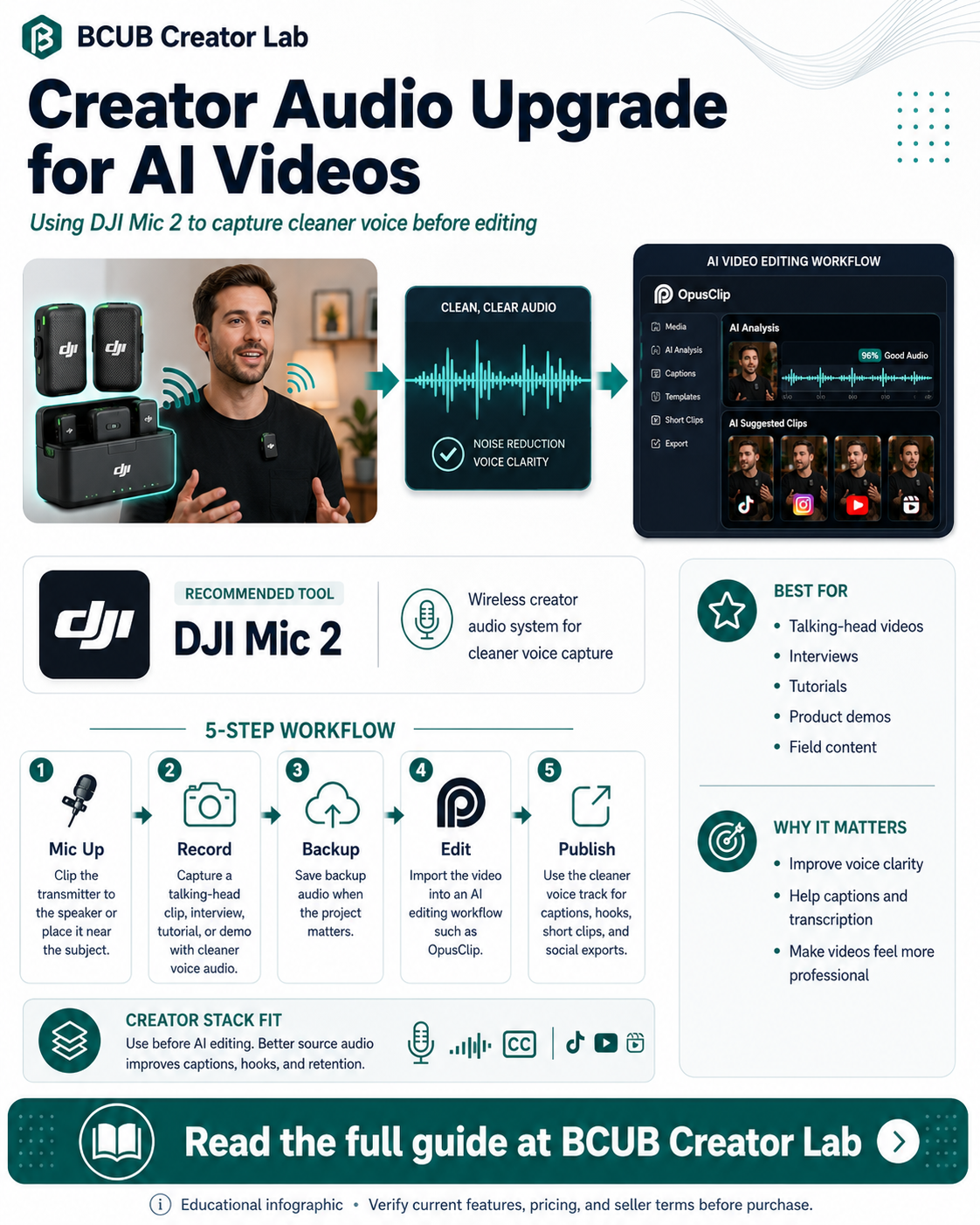
DJI Mic 2 is the audio upgrade page for creators who want cleaner voice capture before sending videos into an AI editing workflow.
Who this is best for
Creators recording vlogs, interviews, tutorials, livestreams, phone videos, and talking-head content.
Recommended role in the stack
DJI Mic 2
Audio capture upgrade before AI clipping and captioning
Why creators need this
Clear audio improves watch time because viewers can understand the message without strain.
For AI video workflows, better source audio can also make captions, clipping decisions, and repurposing cleaner.
A microphone upgrade is especially useful for tutorials, interviews, walking videos, event content, product demos, and livestreams.
DJI Mic 2: feature breakdown
| Feature | Creator value |
|---|---|
| Wireless voice capture | Built for pocket-sized creator audio recording. |
| Intelligent noise cancelling | Designed to reduce environmental noise for clearer conversations. |
| 32-bit float internal recording | Useful safety margin for loud or changing audio environments. |
| Internal storage | Transmitter storage supports backup recording workflows. |
| Multi-device compatibility | Supports camera, smartphone, and computer workflows through common connection options. |
Source note: Product feature details should be verified on the official dji.com product page before purchase.
Creator workflow example
- Clip the transmitter to the speaker or use it near the subject.
- Record a clean talking-head video, field interview, tutorial, or product demo.
- Save backup audio when the project matters.
- Import the video into an AI editing workflow such as OpusClip.
- Use the cleaner voice track for captions, hooks, edits, and short-form exports.
Pros and considerations
Pros
- Better voice quality than relying only on distant phone audio
- Good fit for mobile creators
- Useful for interviews and tutorials
Considerations
- Wireless audio still needs monitoring before important shoots
- Bluetooth and internal recording features can vary by connection mode
- Check current combo, accessories, and compatibility before buying
Not ideal for: Creators who only shoot silent B-roll, screen recordings, or text-only videos with no spoken audio.
How this fits the BCUB Creator Lab stack
Use this page as one piece of a beginner creator system. The practical stack is simple: capture better content, improve the source quality, repurpose it with AI, and send the best audience attention into an owned channel.
Affiliate offer
Ready to build this part of your creator stack?
Start with the official product page, confirm the current price and plan details, then decide whether it fits your content workflow and budget.
View DJI Mic 2 →BCUB may earn a commission if you purchase through this link.
FAQs
Why upgrade audio before buying a new camera?
Most phones already record usable video. A microphone can fix the distance and clarity problems that viewers notice immediately.
Does cleaner audio help AI editing?
Yes. Cleaner spoken audio can make captions, topic detection, and clip review easier in downstream editing workflows.
Is DJI Mic 2 only for professional creators?
No. It can help beginners who record tutorials, interviews, vlogs, product demos, and livestreams.